How to Use Lion Tails: Bedtime Stories Your Kids Are Actually In
Published on September 11, 2026 in Technology

A year ago I wrote about coaxing 6,000-word children's stories out of a language model instead of the 400-word summaries it wanted to give me. That was the experiment. Lion Tails is what it turned into: a real app, running on a server in my house, that writes Christian bedtime stories starring my kids.
It's live at liontails.paul-blake.com.
Fair warning before you sign up: this is a personal project on a home server, and the story generation runs on my OpenAI credits. It's free to use and I'd love you to try it — but it isn't a business, there's no uptime guarantee, and I may have to close registration if it gets more attention than my card can absorb.
This post is the walkthrough I'd give a friend. No stack talk until the end.
Start with a character, not a story
Most AI story tools ask you for a prompt. Lion Tails asks you for a person.
You make a character once — their name, what they look like, what they're like, what they're good at — and then they're reusable. Every story you write can star them. The app remembers them between stories, which is the whole point: a five-year-old doesn't want a story, they want a story about them, again, with the same hair and the same rabbit.
A character can be a boy, a girl, a dragon, a robot, or a space whale. The app asks what kind of thing they are and uses the right word — fur, feathers, scales, plating — rather than assuming everyone is a human child with hair.
Nothing is required except a name. Everything you add is something the story can use, and everything you leave blank is something it won't invent.
Then write the story
On Create Story you pick who's in it — up to eight, and the first one is the main character — and then, optionally, everything else: how long, what it's about, what should happen.
The most useful box on that page is "What should happen in this story?" It's optional, and it's the difference between a generic story and one that lands. "She was frightened of the thunderstorm last night" produces a completely different bedtime than leaving it blank.
You can also set it somewhere real. Two ways in:
- Alongside — your character was always there. They help, they push back, the real person stays on their real mission.
- A Quest with the Timekeeper — the one I'll come back to below.
Longer stories take longer to write. A story is written a chapter at a time, so the length is the wait — a long one is several minutes, and more on the stronger models. Nothing is broken while that happens. You can close the page; it keeps going and lands in My Stories when it's done.
Quests of the Timekeeper
This is the part I've spent the most time on, and the part my kids ask for.
A quest starts in your character's own life, doing something ordinary — waiting for someone who said "just a minute", being tempted to snap at a sibling, stuck with a promise that's become inconvenient. Then a second-hand shop appears somewhere a shop couldn't be: the end of a corridor, a gap between two buildings that has only ever been a brick wall.
Only they can see it.

Inside is Mr Barnabas, who lends them a lantern and won't explain it. Light it and it opens onto a story — a real one. Joseph in Egypt. Daniel and the lions. Corrie ten Boom in a church in Munich in 1947. Your character walks into the account and is part of it: they speak, they're spoken to, they carry water, they argue for someone and lose.
What they can't do is change what happened. The account runs exactly as it's recorded — that's a hard rule, and every story ends with a plain note saying which character was invented, so a child can always tell what was real.
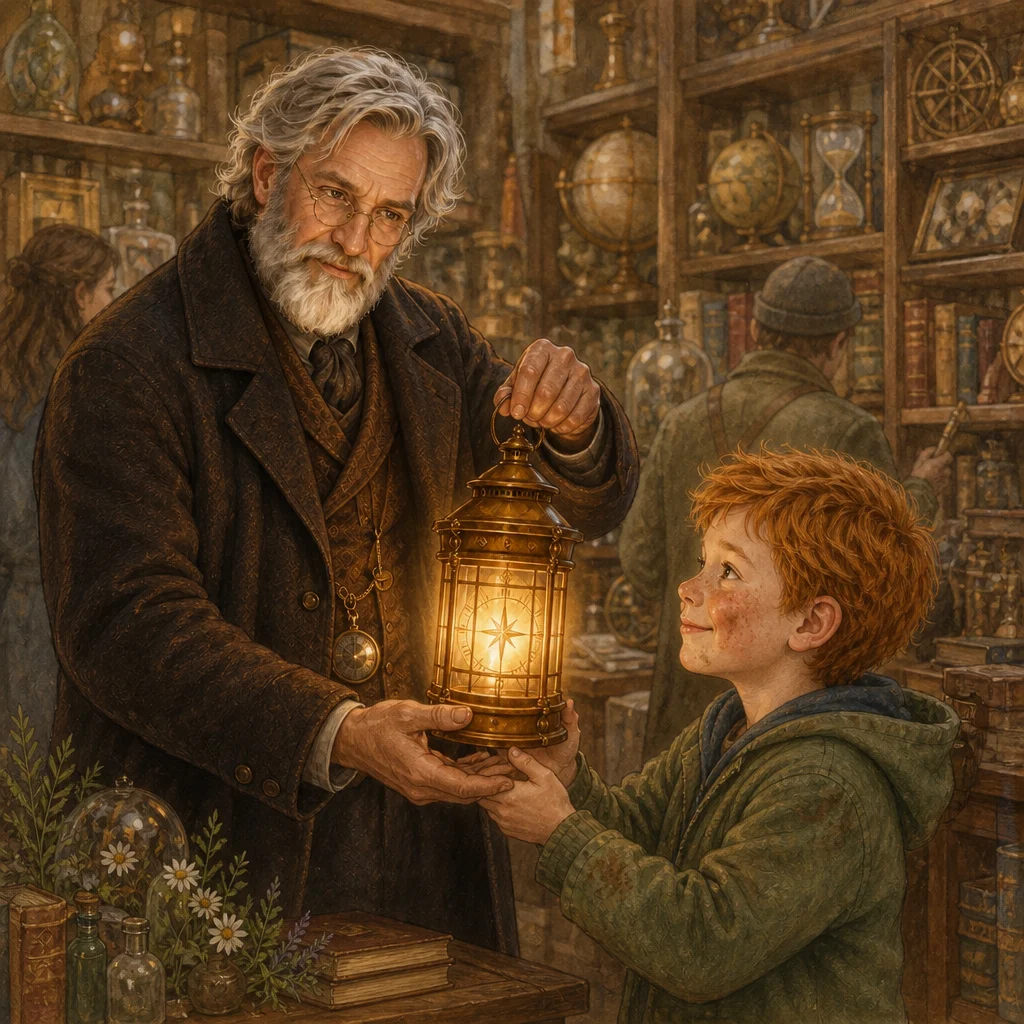
That picture is doing something worth pointing out. The app doesn't describe your character to an image model and hope — a description gets you a different child every time. It sends the character's own portrait as a reference, so the boy in the picture is the boy on the sheet, every time.
Quests need room. They tell two stories — getting there, and the real account they visit — so they need the Long length or more. The shorter options are turned off when you switch a quest on, and the form says why.
Pictures inside the story
Once a story is written, you can illustrate it.
There's a picture at the end of every story. Beyond that, open a story, hit Make a picture, highlight any passage, and it draws that moment and sets it into the text with the words running around it — a picture book rather than a story with a cover. Tap any picture to see it full size.
Every picture a story has had is kept in a strip beneath it. Drawing a new one never throws the old one away — sometimes the first one was better — and deleting one asks first.
Parent Mode
Some things shouldn't be one tap away from a seven-year-old. Parent Mode is a password prompt that unlocks them for thirty minutes, or until you turn it off:
- editing a story's title or text by hand
- writing something into a character that isn't on the app's own list
- renaming a world or editing what it remembers
Two things are worth knowing. A parent's edit is logged — the story says "Edited by a parent" so nobody has to wonder whether the app or a person wrote a line. And the disclaimer at the end of a story about real events cannot be edited away; the app re-attaches it every time.
Worlds, so stories remember each other
Tick "I might write more stories in this world" and the app keeps track of who appeared and what happened. The next story in that world stays true to the last one — same names, same facts, threads left open.
That's how a quest becomes a series. One journey is one story; a character who keeps going back builds something longer than any single story can hold.
What it's built on
Briefly, for anyone who cares: TypeScript throughout, an Express server that also serves a React SPA, Postgres with Drizzle, Tailwind and Radix. Stories come from OpenAI's current text models, pictures from gpt-image-2. It runs in Docker on my own Unraid server behind a reverse proxy, deployed by GitHub Actions on a self-hosted runner — the same pipeline I wrote about building with an AI assistant.
The whole thing is open: github.com/gwaihirf22/lion-tails.
Try it
liontails.paul-blake.com — make a character, give them a name, and tell it what happened this week.
If you make something good with it, I'd genuinely like to hear about it.